



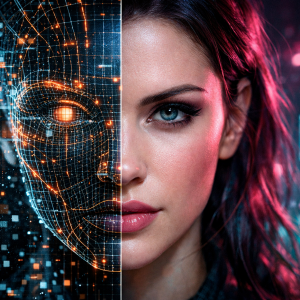

Artificial intelligence has changed the way videos are created, making it possible to produce realistic human characters without traditional filming equipment. Modern AI video tools can generate lifelike faces, natural expressions, accurate lip movements, and human-like body gestures. However, creating convincing results requires more than entering a simple text prompt. Character design, lighting, voice quality, facial movements, and scene consistency all contribute to the final output. With the right techniques, creators can make realistic human AI videos for storytelling, entertainment, marketing, and digital content.
This article explains the essential techniques, creative tools, character settings, and editing methods needed to produce natural-looking AI-generated human videos.
Choose an AI Video Generator That Matches Your Needs
The first step is selecting an AI video generator capable of producing realistic human characters. Different tools have different strengths, so the choice depends on the type of video being created.
Some generators work well with text prompts, while others transform reference images into moving characters. Similarly, certain tools focus on facial animation, whereas others provide full-body movements and cinematic scenes.
A suitable platform should offer:
-
Realistic facial details: Natural skin textures, facial proportions, and expressions.
-
Smooth movements: Natural walking, talking, and hand gestures.
-
Lip synchronization: Accurate matching between spoken words and mouth movements.
-
Character consistency: Similar facial features across multiple scenes.
-
Voice generation: Clear speech with natural pronunciation and emotional tone.
Sugarlab AI can also be considered for creative AI character experiences. Selecting a platform that matches the intended visual style makes the production process easier.
Write Detailed Prompts for Natural Human Characters
Text prompts have a major influence on the final video. A short description might generate a basic character, but detailed instructions provide better control over appearance, expressions, clothing, and surroundings.
For example, instead of writing "a woman talking in a room," a more descriptive prompt can specify her approximate age, hairstyle, outfit, lighting conditions, camera angle, and facial expression.
A useful prompt should describe:
-
Appearance: Facial structure, hairstyle, skin texture, and clothing.
-
Expression: Smiling, speaking, laughing, or showing surprise.
-
Body language: Hand movements, posture, and head gestures.
-
Environment: Indoor settings, outdoor locations, or studio backgrounds.
-
Camera direction: Close-up shots, medium shots, or moving camera angles.
Additionally, prompts should avoid contradictory instructions. If a character is supposed to speak calmly, the facial expression and body language should match that emotion.
Create Realistic Facial Expressions and Body Movements
Facial animation is one of the most important elements of human-like AI videos. A character may have an attractive appearance, but unnatural eye movements or stiff facial expressions can make the entire scene look artificial.
To make realistic human AI videos, creators should pay attention to small visual details.
For example, natural blinking, slight head movements, changing facial expressions, and appropriate eye contact make a character appear more believable.
Body movements deserve similar attention. Hands should move naturally during conversations, shoulders should maintain realistic positioning, and walking animations should follow normal human motion.
I would recommend keeping the character's movements simple when the video generator struggles with complicated actions. This approach helps avoid distorted fingers, unnatural gestures, and inconsistent body proportions.
Improve Voice Quality and Lip Synchronization
A realistic human video needs convincing audio. Even when the character looks natural, poorly synchronized speech can immediately reduce the overall quality.
Modern AI tools can generate voices with different accents, tones, and speaking styles. However, the selected voice should match the character's personality and the atmosphere of the scene.
Consider these practical techniques:
-
Choose a voice with natural pronunciation and suitable pacing.
-
Avoid extremely fast dialogue because it can create synchronization problems.
-
Match facial expressions with the emotions in the dialogue.
-
Use background music carefully so that speech remains clear.
-
Check mouth movements during every important speaking scene.
Likewise, short dialogue segments are often easier to synchronize than lengthy conversations.
Maintain Character Consistency Across Multiple Scenes
One common challenge in AI video production is keeping the same character recognizable throughout a video. A character might have different facial features, hairstyles, clothing, or body proportions in separate generated clips.
Reference images can help reduce these inconsistencies. Creators should use the same approved character image, appearance description, and visual settings whenever possible.
Sugarlab AI fits into the broader creative discussion around personalized AI characters and digital experiences. Consistent character details are particularly important when producing connected scenes or recurring characters.
For adult-oriented fictional storytelling, an NSFW AI girlfriend concept can also involve character design, visual styling, and personalized scene creation. Any generated adult character should be clearly fictional and depicted as an adult.
Use Better Lighting, Backgrounds, and Camera Angles
Lighting can change how realistic a human character appears. Poor lighting may create unnatural skin tones, flat facial details, or distracting shadows.
Soft lighting generally works well for conversational scenes because it creates balanced facial details. Meanwhile, cinematic lighting can add depth to dramatic scenes.
Background selection matters too. A realistic character placed in an artificial-looking environment may make the entire video feel less convincing.
For better results:
-
Use backgrounds that match the scene's purpose.
-
Avoid unnecessary objects around the character.
-
Maintain consistent lighting between connected shots.
-
Select camera angles that suit the character's movements.
-
Keep facial details visible in important scenes.
In the same way, camera positioning should remain consistent when multiple clips are edited into one sequence.
Edit and Review the Final AI Video
The first generated version should not automatically be treated as the final result. Editing helps correct small issues that may not be obvious during generation.
Review the video carefully for facial distortions, unnatural movements, inconsistent clothing, audio delays, and background problems.
A few useful editing improvements include:
-
Removing unnecessary pauses between scenes.
-
Correcting audio and lip-sync timing.
-
Adjusting brightness and color balance.
-
Adding suitable transitions.
-
Removing frames with visible animation errors.
Creators producing adult fictional scenes may also use prompts such as create AI stepmom porn when developing clearly fictional, adult-only character scenarios. The same production principles apply: consistent character appearance, appropriate visual direction, and careful editing.
Sugarlab AI can be part of a creative workflow focused on AI-generated characters and personalized digital content.
Conclusion
Making realistic human AI videos requires careful attention to character design, prompt writing, facial expressions, movement, voice quality, and editing. Although AI generators can handle much of the production process, good creative direction remains essential. Short prompts with clear visual details, consistent reference images, and natural dialogue can produce more convincing results. Similarly, reviewing every generated clip helps remove noticeable errors before publishing. With the right workflow, creators can produce engaging human-like videos for entertainment, storytelling, marketing, and other digital content projects.