









Introduction
For many people, email has become the center of daily communication. It connects businesses with customers, students with institutions, and families with loved ones. When access suddenly disappears, even for a few minutes, productivity comes to a standstill.
Most users assume email platforms are available all the time. While major providers maintain impressive reliability, interruptions still happen. A syncing issue, browser conflict, storage limitation, or account problem can prevent users from accessing important messages exactly when they need them most.
Understanding the reasons behind email interruptions helps users react quickly and minimize downtime.
The Growing Dependence on Cloud Email
Over the last decade, email has evolved from a simple messaging platform into a complete communication ecosystem.
Today, users rely on email for:
- Business communication
- Online banking notifications
- Account verification codes
- School and university correspondence
- Purchase confirmations
- Legal documentation
- Project collaboration
When access is interrupted, important workflows often stop immediately.
A missed message can lead to delayed responses, lost opportunities, or unnecessary stress.
Common Signs of Email Access Problems
Email issues rarely look the same for every user.
Some people experience login failures, while others notice messages failing to sync or send.
Common symptoms include:
- Inbox not loading
- Emails stuck in Outbox
- Login authentication errors
- Missing folders
- Sync failures across devices
- Attachment download problems
- Slow message loading
These symptoms may appear unrelated, but they often originate from a small number of underlying causes.
What Causes Most Email Interruptions?
Browser-Related Issues
Modern email platforms rely heavily on browsers. Corrupted cache files, outdated cookies, and conflicting browser settings can prevent pages from loading correctly.
Application Problems
Mobile apps occasionally encounter synchronization issues, especially after operating system updates or network changes.
Storage Limitations
Cloud storage quotas affect more than file storage. When limits are reached, email services may struggle to send or receive new messages.
Security Restrictions
Suspicious login attempts, password changes, and unusual device activity can trigger temporary account restrictions.
Service Outages
Although rare, service providers occasionally experience disruptions that affect users worldwide.
Why Users Often Misdiagnose the Problem
One of the biggest challenges during an email outage is determining where the problem actually exists.
A user may spend time changing passwords when the issue is a browser extension. Another may reinstall applications when the real problem is a temporary service disruption.
This is why diagnosis should always begin with simple checks:
- Verify internet connectivity.
- Check service status pages.
- Test email access on another device.
- Try a private browsing session.
- Confirm available storage space.
These steps eliminate guesswork and save valuable time.
When Email Access Becomes a Business Risk
For businesses, email interruptions are more than an inconvenience.
Organizations often depend on email for:
- Client communication
- Internal approvals
- Sales conversations
- Support requests
- Contract exchanges
- Compliance records
Even short outages can affect customer satisfaction and operational efficiency.
This is especially true for remote teams where email serves as a primary communication channel.
The Importance of Data Ownership
Many users assume their messages are completely safe because they are stored in the cloud.
While cloud platforms provide excellent reliability, users should remember that accessibility and ownership are not always the same thing.
Temporary outages, accidental deletions, account lockouts, and storage limitations can affect access to important information.
Maintaining independent copies of critical communications helps reduce this risk.
Building a Personal Email Protection Strategy
A proactive approach helps prevent small issues from becoming larger problems.
Consider the following practices:
Keep Software Updated
Regular updates often contain bug fixes that improve stability and security.
Review Account Security
Strong passwords and multi-factor authentication reduce the risk of unauthorized access.
Monitor Storage Usage
Storage limits can quietly affect email functionality before users notice warning messages.
Organize Important Messages
Keeping essential emails archived and categorized makes recovery easier if problems occur.
Maintain Independent Backups
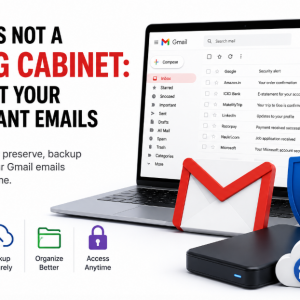
Using a reliable Gmail Backup Tool can help preserve important communications and provide access to critical data when online access becomes unavailable.
Lessons Every User Can Learn
The next time Gmail Not Working becomes the topic of conversation, it is worth remembering that most email issues are temporary and solvable.
The key is approaching the situation methodically rather than reacting impulsively.
Checking service status, testing alternate devices, reviewing storage usage, and maintaining backups can resolve or mitigate the majority of email-related disruptions.
Conclusion
Email remains one of the most important digital communication tools in both personal and professional life. Because of that importance, even minor interruptions can feel significant.
Understanding the most common causes of email access issues allows users to respond more effectively and reduce downtime. Combined with strong security practices and regular backups, users can ensure that important communications remain available whenever they are needed.
Reliable email access is not just about convenience. It is about maintaining continuity in a world that depends on digital communication.