


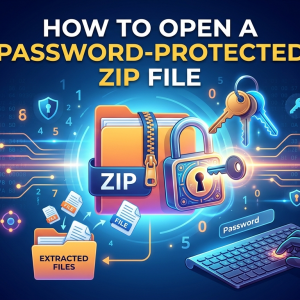








ZIP files are one of the easiest ways to store and share multiple files in a single folder. To keep important documents, photos, and business data secure, many people protect their ZIP archives with a password. However, you'll need the correct password to access the files inside. In this guide, you'll learn how to unzip ZIP file with password using different methods. Whether you remember the password or have forgotten it, we'll walk you through practical solutions to help you access your ZIP archive. Additionally, read this blog if you want to learn how to open ZIP file without password.
Why Do People Password-Protect ZIP Files?
Adding a password to a ZIP file is a simple way to prevent unauthorized access. It ensures that only people with the correct password can view or extract the files inside. This is especially useful when sending confidential information over email or cloud storage.
Here are some common reasons people password-protect ZIP files:
- Protect personal documents from unauthorized access.
- Secure financial records and business files.
- Safely share confidential information online.
- Prevent accidental changes to important files.
- Add an extra layer of security during file transfers.
- Keep backups protected from unwanted access.
Proven Ways to Unzip ZIP File with Password
There are several reliable ways to recover ZIP file with password, and the right method depends on whether you remember the password. If you know it, built-in Windows tools or applications like WinRAR and 7-Zip can extract the files in just a few clicks. If you've forgotten the password, a professional ZIP password recovery tool can help you recover it before extracting the archive. Below are some proven methods you can follow.
#1. Use Windows File Explorer
If you already know the password, Windows makes it easy to unzip ZIP file with password without installing any additional software. The built-in extraction feature lets you access your protected files quickly by simply entering the correct password when prompted.
Steps:
- Locate the ZIP file on your computer.
- Double-click the archive.
- Select Extract All.
- Choose the destination folder.
- Enter the password when prompted.
- Click Extract.
Once the correct password is entered, all files will be extracted successfully.
#2. Unzip ZIP File with Password Using WinRAR or 7-Zip
Third-party archive tools provide another simple way to unlock ZIP file with password. If you know the correct password, these applications can quickly extract the contents while preserving the original folder structure. They also support multiple archive formats and often offer faster extraction and additional file management features, making them a reliable choice for handling password-protected ZIP files.
Steps:
- Install WinRAR or 7-Zip.
- Right-click the ZIP file.
- Select Extract Here or Extract to Folder.
- Enter the password.
- Click OK to begin extraction.
These tools are useful when handling large ZIP archives or multiple compressed files.
#3. Use Professional Software to Recover the ZIP Password
If you've forgotten the password, you won't be able to unzip the archive using normal methods. In that case, SysTools ZIP Password Recovery Software can help recover the original password.
The software supports different recovery techniques, including Brute Force and Mask attacks, making it easier to recover complex ZIP passwords. Once the password is recovered, you can use it to unzip the ZIP file normally.
Steps:
- Install and open a reliable software.
- Add the password-protected ZIP file.
- Choose the appropriate recovery mode.
- Start the password recovery process.
- Copy the recovered password.
- Open the ZIP file and enter the recovered password to extract the contents.
This method is especially useful when the password has been forgotten and there is no backup available.
Avoid These Mistakes While Unzipping ZIP Files
Trying to unzip ZIP file with password is usually straightforward, but a few common mistakes can make the process more difficult. Being careful during extraction can save both time and frustration.
- Double-check the password before assuming it's incorrect.
- Avoid downloading unknown password unlock tools from unreliable websites.
- Don't modify or rename the ZIP archive while attempting recovery.
- Keep a backup copy of the original ZIP file before trying recovery methods.
- Choose the correct recovery mode when using password recovery software.
- Be patient when recovering strong or lengthy passwords, as the process may take time.
End Note
Learning how to unzip ZIP file with password is simple when you know the correct password. Built-in Windows tools and applications like WinRAR or 7-Zip can quickly extract encrypted ZIP files. However, if you've forgotten the password, a reliable tool can help recover it and restore access to your files. By following the right method and avoiding common mistakes, you can safely extract password-protected ZIP archives without risking your data.