



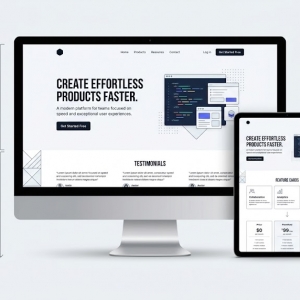


A homepage video sounds like a clear win. It showcases your product. It builds credibility fast. It keeps eyes on your page longer than paragraphs of text. But there is a hurdle. Video files carry serious weight. Upload a raw file straight to your server, and your page will grind to a halt. Visitors will exit before the clip buffers. Your search rankings will suffer for it.
You do not need to abandon video to protect speed. The two can coexist. Implementation is everything.
Why Video Converts
Humans are wired for visual input. A brief clip can convey your entire value proposition before a visitor finishes reading your headline. It slices through distraction. You have mere seconds to earn attention when someone arrives. Video captures and holds that attention better than still graphics.
There is also an emotional layer. When visitors see real customers or team members on screen, trust forms quickly. They witness the product functioning. They connect with the people behind the brand. That connection breeds confidence. Confidence turns into action. But the moment your page lags, that chain breaks.
The Speed Problem
Performance is not a nice-to-have. Google weighs Core Web Vitals heavily in search results. These scores measure initial load time, interactivity speed, and visual stability during rendering. Video works directly against all three.
People expect pages to load in two seconds or less. Each extra second costs you visitors. A single uncompressed video can exceed fifty megabytes. When the browser attempts to download that alongside your stylesheets and images, the queue backs up. Mobile users on slower networks will not wait. The browser pauses everything else to process the video. You need to find equilibrium between impact and speed.
Compress and Format Correctly
The question is how to retain the video while shedding the bulk. The answer sits in formatting, hosting, and delivery choices.
Compression comes first. 4K resolution is overkill for most web applications. A 720p or 1080p file delivers excellent clarity on standard displays. Handbrake and similar tools make this easy. Shoot for a file under five megabytes. If your video loops silently in the background, remove the audio track. That track adds size with no benefit.
Format selection matters too. MP4 remains widely used, yet WebM outperforms it for web delivery. WebM produces smaller files without sacrificing visual fidelity. It streams more smoothly. Offer WebM as the primary option, with MP4 as a fallback. Compatibility is strong across current browsers.
Use a Poster Image
A loading video should never leave a blank rectangle on your page. Deploy a poster image. This is a static, compressed image that appears while the video prepares to play. Instead of emptiness or a spinner, the user sees something immediately.
The browser retrieves the image instantly. The video buffers behind the scenes. When ready, the moving image replaces the still one. This technique directly improves your Largest Contentful Paint score, a key metric Google tracks for speed.
Smart Hosting and Delivery
Where you store the file makes a real difference. Self-hosting keeps everything under your roof. Platforms like YouTube or Vimeo offload the work. They use adaptive streaming, automatically downgrading quality for slower connections and upgrading for faster ones. Self-hosting forfeits that convenience.
Yet self-hosting offers full creative control. You sidestep YouTube's suggested videos, which can lure visitors away. If you go this route, use a Content Delivery Network. A CDN replicates your video across servers worldwide. Visitors pull the file from the nearest location, cutting transfer time dramatically.
Lazy loading is another lever. It instructs the browser to delay downloading the video until the user scrolls to it. For above-the-fold placement, this offers limited help. For lower sections, it preserves critical milliseconds on first paint. Off-screen videos will not drag down your initial load.
Autoplay and User Experience
Sudden audio is a conversion killer. It shocks the user. The back button becomes irresistible. If you use autoplay, silence the track. Always. Captions can carry the message if speech is essential.
Autoplay triggers immediate download. If performance tops your list, disable it entirely. Let visitors choose to play. The video then loads only for engaged users. This preserves bandwidth and respects user preference. If autoplay is non-negotiable for design reasons, keep the loop short and soundless.
Keep the Content Tight
Technical fixes solve only part of the puzzle. The content itself must earn its place. Brevity is key. A homepage video should clock in under one minute. Lengthier content belongs deeper in your site.
Isolate one message. Resist the urge to list every feature. Demonstrate the core benefit. Show the product working. Show the result. For service businesses, a quick client moment or team snapshot does the job. The objective is mood and clarity in one package.
Placement and Strategy
A website designer typically anchors video near a prominent call to action. The footage stirs interest. The button converts that interest. When video dominates the screen, position the button just below or overlaid on top. Remove all friction from the next step.
Never trap your value proposition inside the video alone. Add a headline adjacent to or above the footage. Some users scan text faster than they process video. Give them a one-line summary of what you offer, then let the clip reinforce it. Account for both consumption styles.
Smart layout decisions separate effective pages from cluttered ones. A website designer knows that white space around video prevents overwhelm. The eye needs room to breathe. Crowding the video with surrounding elements dilutes its impact and slows cognitive processing.
The Role of Professionals
Homepage video optimisation can get technical fast. HTML5 attributes need tuning. CDN rules require configuration. Cross-device testing is mandatory. A web design company navigates this terrain routinely. They grasp the tension between visual appeal and load time. They handle compression, fallback scripting, and mobile responsiveness.
When a Singapore website designer assembles a homepage, they think holistically. They recognise that a gorgeous video means nothing if the site tanks on a phone. They run real-world tests over actual mobile networks. They check whether scrolling past the video pauses playback. That diligence prevents the video from becoming a liability.
They also guard against Cumulative Layout Shift. If a video pops in and shoves content downward, users suffer. A seasoned developer defines exact dimensions for the video wrapper. The browser reserves that space from the start. The layout stays put, and your CLS score remains solid.
DIY approaches often hit walls. Business owners discover that a web design company brings depth they cannot match. Codecs, breakpoints, and encoding settings multiply quickly. Delegating to experts lets you concentrate on your business while they manage the machinery.
Conclusion
Video on your homepage can reshape how visitors engage with your brand. It grabs attention and accelerates trust. But it cannot come at the expense of speed. Compression, modern formats, and CDN delivery make the combination possible. Keep the footage brief. Mute the sound. Deliver one focused message. Execute this correctly, and your audience will stick around to convert.